
IAFF Mobile
International Association of Fire FightersEvents
4.213.00 Reviews
- Version
- 18.6.14
- Installs
- 10.00K
- Age Rating
- Everyone
Screenshots
Our Review of IAFF Mobile
 Analysis by Appyee
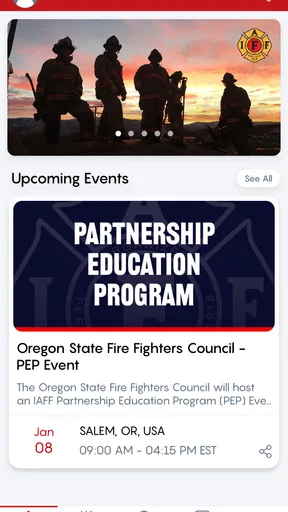
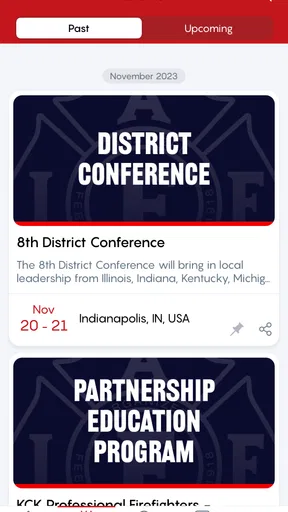
IAFF Mobile is the kind of app I would install for a clear reason rather than casual browsing: staying connected with the International Association of Fire Fighters through a phone. It is a free events app from the International Association of Fire Fighters, and its purpose feels focused instead of overloaded with unrelated tools. After spending time with it, my main impression is that it works best as a companion for people who already have a connection to the association, its activities, or its event information.
The app has an average rating of 4.2 from around 47 ratings, with roughly 13 written reviews and more than 10 thousand installs. Those figures suggest a modest but established audience rather than a mass-market social platform. It is rated for Everyone, which makes the intended audience broad, although the practical value is naturally strongest for members, attendees, and people following IAFF-related events.
How IAFF Mobile feels to use in real situations
I find the most useful way to judge IAFF Mobile is to think about the moment I would reach for it: not during a long browsing session, but when I need to orient myself around an IAFF event. That makes preparation part of the experience. I would explore the app before a busy day, then use it as a quick reference while keeping a familiar backup for details I cannot afford to lose.
Readable navigation for quick checks
My first test with an events app is simple: can I find the information I need without wandering through several layers of menus? IAFF Mobile benefits from having a narrow purpose. It is not trying to be a general news reader, entertainment app, or full productivity suite. That focus makes it easier to approach when I want to check what is happening around an IAFF event or revisit information connected with the association.
That said, a focused app is not automatically a perfectly organized app. Event applications are often used while someone is walking between rooms, waiting in a queue, or trying to confirm a detail quickly. I would therefore judge the experience less by how attractive it looks and more by whether important content is easy to recognize at a glance. IAFF Mobile is most useful when its event material is presented in a direct, orderly way rather than buried among decorative screens.
The best way to use it is as a quick-reference tool, not as a place to spend a long time exploring. Before attending anything, I would open the app while relaxed and identify where the main event information sits. That small preparation matters because it reduces the need to learn the interface when I am already under time pressure.
For readers who prefer larger text, strong contrast, or a less crowded display, the practical question is how the app behaves alongside the phone’s own display settings. I would test the system font-size and display options before relying on the app at a busy event. If text scales cleanly, that can make a meaningful difference; if content becomes cramped or clipped, the web browser or an official printed schedule may be easier for a particular person.
Useful for people with different reading and attention needs
People do not all consume event information in the same way. Some want to scan headings and times, while others need to read every detail slowly. An app like this can be helpful when information is divided into short, recognizable sections, because that lowers the mental effort required to locate one item. It can be less comfortable when several kinds of information are mixed together or when the most important details are visually indistinguishable from secondary material.
I also think about attention and fatigue. Fire service events can involve long days, unfamiliar venues, and frequent changes in surroundings. A user who is tired may need a very short path to the next relevant detail. I would avoid opening IAFF Mobile for the first time in the middle of a crowded session. Instead, I would review the layout beforehand, save any essential details in a personal note if appropriate, and use the app for confirmation rather than as my only memory aid.
This is one of the app’s important trade-offs. A dedicated event application can keep association information in one place, but it also asks the user to remember a separate interface. Someone who attends only one occasional event might find a mobile browser page or a calendar entry more familiar. Someone who expects to return to IAFF information may appreciate having a dedicated app ready on the phone.
Motor and sensory considerations during use
Touch interaction can be easy in a quiet room and awkward in the real world. At an event, I might be carrying equipment, wearing gloves, standing outdoors, or using the phone with one hand. In those conditions, small controls, tightly packed links, and screens that require precise tapping become more than minor annoyances. They can turn a simple lookup into a frustrating task.
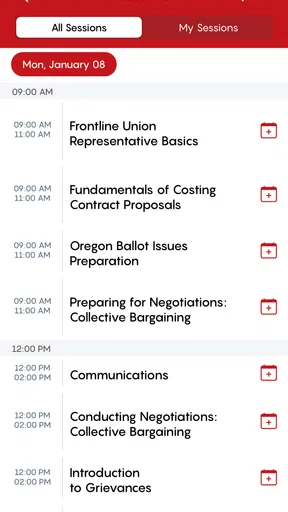
For that reason, I would use IAFF Mobile before leaving for an event to identify the screens I am most likely to need. If I know where the schedule or event information is located, I can reach it with fewer taps later. This is a concrete advantage of preparation: it reduces the amount of fine motor control and visual searching required when conditions are poor.
Users with tremors, limited dexterity, or hand pain may want to compare the app with the phone’s browser. A browser can sometimes offer familiar zoom and navigation behavior, while the dedicated app may feel faster when its content is already organized for the association. The better choice depends on which interaction style causes less effort on a particular device.
Sensory conditions matter too. A bright screen, dense text, or frequent movement can be uncomfortable for some people. I would keep the phone’s brightness at a comfortable level, rely on the operating system’s contrast or color adjustments when useful, and avoid assuming that a visually polished screen is automatically easier to read. If the app does not present a detail clearly enough for me, I would switch to another source rather than repeatedly squinting at the display.
There is also a practical audio issue: I would not depend on spoken or audible cues from the app unless I had personally tested them. In a noisy convention space, a phone’s sound may be difficult to hear; in a quiet meeting, it may be inappropriate. The safest workflow is to treat the app as a visual reference and keep a backup note for details that would be disruptive or difficult to retrieve repeatedly.
Situational access at events and away from a desk
IAFF Mobile makes the most sense when a user is away from a desktop computer. A member checking information between duties, an attendee moving through a venue, or someone preparing for an IAFF gathering can use a phone more naturally than a laptop. That mobility is the app’s strongest practical reason to exist.
Imagine arriving at a large event after a long journey. You have a few minutes before the next activity and want to confirm where you should be or what comes next. The app can be useful because the phone is already in your hand and the information is associated with the organization you are attending. I would open it before entering a crowded area, check the relevant details, and keep the phone locked until I need to verify something again. This approach saves battery, reduces distraction, and avoids repeated searching.
Another realistic case is supporting a colleague who cannot easily read a small screen. Rather than handing over the phone and asking them to navigate, I could enlarge the display, read the key information aloud, or write down the essential detail. That is not a special feature of IAFF Mobile, but it is an important part of inclusive use: the app can be one source in a shared workflow rather than a test that every person must complete independently.
People with limited connectivity should plan carefully. I would not assume that every event location offers dependable access or that the app will always be convenient in a basement, a crowded hall, or an outdoor area. Before traveling, I would capture the details I know I will need in an accessible personal format. This is especially important for users who need extra time to read, use assistive settings, or ask another person for help.
The same advice applies to battery life. A phone used for navigation, messages, photographs, and event information can become essential equipment during a long day. I would avoid leaving IAFF Mobile open continuously and would carry a charging option if the event is important. The app may be free to install, but the broader phone experience still depends on battery, signal, and the user’s preferred access setup.
Where it compares well with usual alternatives
The usual alternatives are a mobile website, email messages, printed material, a calendar application, or simply asking staff at the venue. Each has a different strength. Printed information is dependable when the phone battery is low, but it can become outdated or difficult to carry. Email is familiar and searchable, but a long message thread is not always ideal for fast event lookups. A calendar is excellent for reminders, yet it may not contain the wider context around an IAFF activity.
A browser can be the better option for someone who depends heavily on browser zoom, translation tools, password-management habits, or a familiar navigation pattern. It also avoids adding another dedicated application to the phone. On the other hand, the IAFF app is more direct for a person who wants an association-specific place to begin and does not want to search the wider internet each time.
I see IAFF Mobile as complementary rather than a complete replacement for every alternative. I would use it for the association’s event-oriented information, a calendar for personal commitments, and a note or printed backup for details that must remain available without relying on the app. That combination is more resilient than expecting one application to solve every access problem.
Remaining barriers and honest limitations
The biggest limitation is that the app’s usefulness depends on relevance. If I am not involved with the International Association of Fire Fighters and have no reason to follow its events, there is little incentive to keep it installed. This is not a general-purpose events discovery service, and I would skip it if I wanted concerts, local community activities, or a broad calendar of unrelated organizations.
Another limitation is the risk of over-reliance. A dedicated app feels authoritative because it represents the organization, but I would still verify important changes through the event’s official communication channels or staff when timing and location matter. A schedule can change after I last checked it, and no phone-based workflow should replace asking for assistance when the information is unclear.
Accessibility also has a human side that software alone cannot solve. A person with low vision may need a larger screen, a person with limited dexterity may need someone else to tap, and a person with cognitive fatigue may need information summarized in plain language. IAFF Mobile can fit into those support arrangements, but I would not treat the presence of an app as proof that every user can operate it independently.
There is a similar issue for older devices. The current version is 18.6.14 and requires Android 7.0 or later. That is a reasonably broad starting point for Android users, but anyone using an older phone should check compatibility before making the app part of an event plan. A person who cannot update their device may be better served by a browser, printed schedule, or help from the event team.
Because the app is free, cost is not a barrier to downloading it. Still, installation is only one part of access. Storage space, data availability, battery, screen size, and confidence with smartphone navigation can all affect whether it is genuinely convenient. I appreciate free access, but I would judge the app by the complete experience rather than by price alone.
Who should install it, and who should skip it
I would recommend IAFF Mobile to IAFF members, people attending association events, and anyone who regularly needs a phone-based connection to the organization’s event information. It is also worth considering for users who prefer having a dedicated starting point instead of searching through emails or a browser every time.
I would be more cautious for occasional attendees. If you are going to one event and already have a clear email, printed schedule, or accessible web page, installing another app may not improve your day. In that situation, use whichever source is easiest to enlarge, search, share, and keep available offline.
For users with accessibility needs, I would make the decision through a short practical test: install it before the event, increase text size, try one-handed navigation, check whether the main information is easy to locate, and see whether the display remains comfortable for several minutes. If any step creates strain, prepare an alternative rather than hoping the problem will disappear in a busy venue.
My inclusive verdict
My overall view is positive but specific. IAFF Mobile is a useful, focused events app for people who already need IAFF-related information on a mobile device. Its free price, Everyone age rating, and established audience make it approachable, while its dedicated purpose keeps it more relevant than a generic events application for the right user.
I would not describe it as a universal accessibility solution, and I would not rely on it alone for critical event details. Its real strength is practical convenience: one organization, one phone-based entry point, and a workflow that can be prepared in advance. Its main weakness is that the experience still depends on the user’s device, surroundings, connectivity, and ability to interact comfortably with the screen.
After using it, I would keep IAFF Mobile installed if IAFF events are part of my routine. I would pair it with a calendar and a backup note, test the display settings before traveling, and ask for assistance when the environment makes phone use difficult. For that audience, it earns a place as a helpful companion. For everyone else, a browser or general calendar tool will probably be the simpler choice.
The app was released on January 11, 2017, by the International Association of Fire Fighters, and its continued presence makes sense because it serves a defined community rather than trying to appeal to everyone. If you need IAFF information while moving through real-world event conditions, its value comes from preparation and dependable backup habits as much as from the app itself.
Verdict
Strengths of IAFF Mobile
- Fast access to IAFF-related news, updates, and announcements.
- Useful mobile format for checking information while away from a computer.
- Simple navigation makes key sections easy to find.
- Can help members stay connected with union activities and resources.
- Convenient way to receive important information in one place.
Limitations of IAFF Mobile
- Some content may be relevant only to IAFF members or affiliated users.
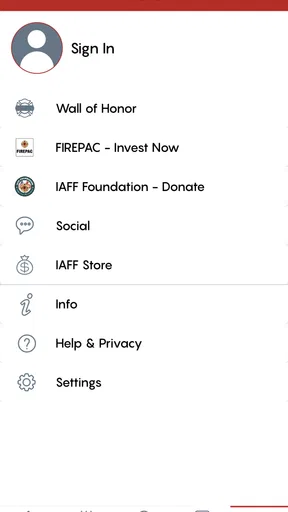
- Certain features may require an account or membership credentials.
- Information availability can depend on updates from local organizations.
- The app may offer limited value to users outside the IAFF community.
- Notifications could become excessive if too many categories are enabled.
Similar Picks in This Category
View All
Easy Quran Mp3 Audio Offline
Muslim Worldapp4.7

Invitation Maker: Cards & RSVP
Greetings Island4.9

StubHub - Live Event Tickets
StubHub4.3

Fever: Events & Tickets
Fever Labs4.7

Epic Freebie Games Radar
Arioch Pds - Apps & Games4.4

Invitation card Maker, Design
Splendid App Maker4.9
Frequently Asked Questions
What is IAFF Mobile, and who is it designed for?
IAFF Mobile is the official mobile application associated with the International Association of Fire Fighters (IAFF). It is primarily intended for IAFF members, affiliated fire fighters, and people who want access to union-related information while using a smartphone or tablet. Depending on your membership and organization, the app may provide news, updates, resources, event information, alerts, and other member-focused tools in one place.
Do I need to be an IAFF member to use IAFF Mobile?
Some features of IAFF Mobile may be available to anyone who downloads the application, such as general IAFF news or public information. However, member-only content and personalized services may require an IAFF account, local affiliation, or verified membership credentials. Before downloading, users should understand that access can vary according to their local organization, membership status, and the features currently supported by the app.
What features can I expect to find in IAFF Mobile?
The available features may include IAFF news, organizational announcements, member resources, event or convention information, alerts, contact details, and links to important services. The exact layout and tools can change with updates or based on your local IAFF affiliation. After signing in, members may see additional content that is not visible to general users, so the experience can differ between accounts.
Is IAFF Mobile free to download and use?
IAFF Mobile is generally available to download without an upfront charge from the relevant app store. Nevertheless, downloading the app does not necessarily mean every service is available to all users. Certain features may require IAFF membership, account verification, or participation through an affiliated local. Standard mobile data charges may also apply, especially when viewing news, downloading content, receiving notifications, or using the app away from Wi-Fi.
Does IAFF Mobile protect my personal information and provide reliable notifications?
IAFF Mobile may request permissions such as notifications, internet access, or account information so it can deliver updates and personalized member services. Users should review the app’s privacy policy, store listing, and permission requests before creating an account or enabling optional features. Notifications can be useful for timely announcements, but delivery may depend on device settings, connectivity, app permissions, and the IAFF’s communication systems.
